Skip to product information
1 of 2

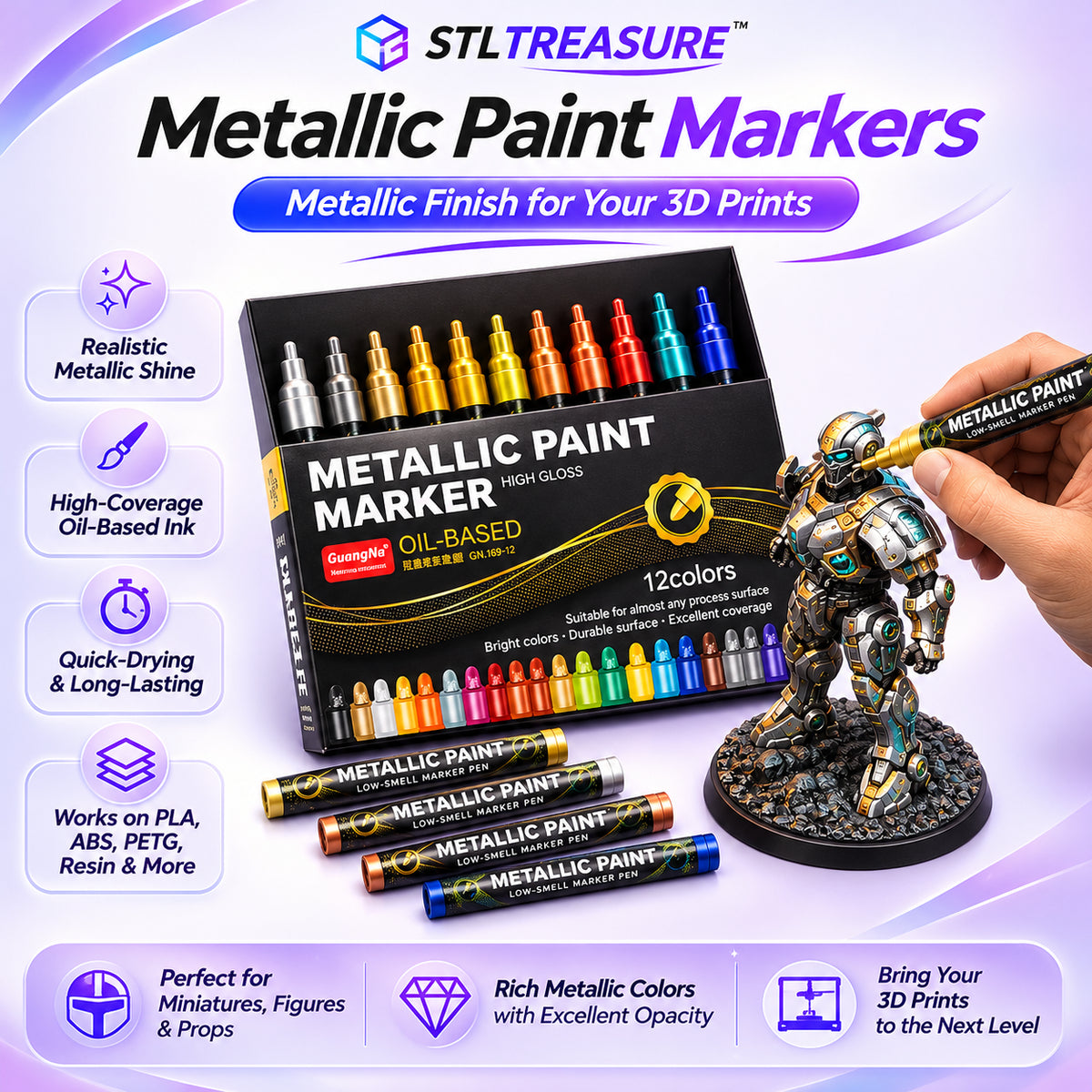
MetalForge™ Pro Metallic Paint Markers

Realistic Metallic Finishes

Give ordinary 3D prints a striking metal-inspired look.

Precision Without the Mess

Apply metallic color directly without brushes or palettes.

Quick-Drying Color

Add metallic accents with less waiting between steps.

12 Metallic Colors. Endless Possibilities.

Bring armor, miniatures, cosplay props, and models to life.

Regular price $54.99 USD
Regular price Sale price $54.99 USD
Sale Sold out
Shipping calculated at checkout.
View full details
MADE FOR 3D PRINT CREATORS

Make Plastic Look Like Metal.

Turn Ordinary Prints Into Metallic Masterpieces.

Your 3D printer creates the shape. MetalForge™ Pro brings the shine. Add striking metallic accents to armor, miniatures, props, and decorative prints — without the hassle of a traditional painting setup.

12 Metallic Colors
Direct Application
Brilliant Metallic Finish
GET MY METALFORGE™ PRO
PRINT IT. COLOR IT. SHOW IT OFF.
Applying metallic paint to a 3D printed model using MetalForge Pro
METALLIC FINISH IN ACTION
FROM PLASTIC TO METAL
✦
✧
✦ THE ART OF THE FINISH

Every Detail Deserves to Shine.

Your printer captures every intricate detail. Now give those details the finish they deserve.

With MetalForge™ Pro, transform flat-looking surfaces into eye-catching metallic creations. From armor and weapons to mechanical components and decorative accents, add dimension and contrast exactly where it matters.

Armor & Weapons

Make blades, shields, armor plates, and raised edges stand out.

Mechanical Details

Highlight gears, bolts, machinery, and intricate components.

Decorative Accents

Bring metallic contrast to ornaments, lettering, and trim.

FROM ORDINARY PRINTS TO METALLIC SHOWPIECES
MetalForge Pro metallic paint markers transforming a gray 3D printed miniature into a metallic finished model
✦
✧
METALFORGE™ PRO IN ACTION
✦
✧
✦ SEE THE TRANSFORMATION

Small Details. Stunning Metallic Impact.

The difference between a good print and a show-stopping creation? It's all in the finishing touches.

MetalForge™ Pro lets you add rich metallic color directly to the areas that matter — from armor edges to intricate decorations — without mixing paint or setting up an entire painting station.

01

Choose
Your Color

02

Apply the
Details

03

Reveal the
Finish

Metallic Color. Right Where You Want It.

Enhance individual details without painting the entire model.

WHY METALFORGE™ PRO?

Small Details. Extraordinary Finishes.

Everything you need to give your 3D prints a metallic finishing touch — without turning your workspace into a painting station.

01 / FINISH

Metallic Shine That Stands Out.

Transform plain-looking surfaces with striking metallic color that brings armor, weapons, props, and decorative prints to life.

02 / CONTROL

Precision Where It Matters.

Add metallic accents directly to raised edges, lettering, mechanical details, and smaller features with greater control.

03 / COLOR

12 Colors. More Creative Freedom.

Explore silver, gold, copper, and vibrant metallic tones to create eye-catching contrasts and personalized finishes.

04 / SIMPLICITY

Less Setup. More Creating.

Skip the paint bottles, palettes, and brush cleanup. Grab a marker and start adding metallic details to your creations.

✦ Your printer builds the model. MetalForge™ Pro makes the details shine. ✦
A SMARTER WAY TO FINISH YOUR PRINTS

Less Preparation. More Creation.

Your printer has already done the hard work. Give your models the finishing touches they deserve, without the extra painting routine.

WHAT MATTERS
✦ METALFORGE™ PRO
TRADITIONAL BRUSH PAINTING
01 Painting preparation
✓ Minimal setup
Paints & brushes
02 Mixing palette
✓ Not required
Often needed
03 Brush cleanup
✓ No brushes to wash
Usually required
04 Metallic detail work
✓ Direct application
Brush application
05 Workspace requirements
✓ Compact & portable
More supplies
06 Metallic color selection
✓ 12 colors included
Depends on your paints

Spend less time preparing your tools. Spend more time bringing your creations to life.

EVERYTHING YOU NEED TO KNOW

Questions? We've Got Answers.

From your first metallic detail to your final finishing touch, here's what you need to know about MetalForge™ Pro.

01 Can I use MetalForge™ Pro on 3D-printed models?
Absolutely! MetalForge™ Pro is designed for adding metallic details to creative projects, including 3D-printed models, miniatures, cosplay props, and decorative pieces. For best results, use it on clean, dry surfaces and test on a small area first.
02 What materials can I use these markers on?
MetalForge™ Pro can be used for detailing many craft surfaces, including PLA, ABS, PETG, and resin prints. Adhesion and finish can vary depending on the material, surface texture, and any existing coating. We recommend testing a small hidden area first.
03 Do I need brushes, palettes, or extra painting equipment?
No brushes or mixing palettes are needed for direct marker application. MetalForge™ Pro lets you apply metallic color directly to the areas you want to highlight, making it a convenient option for small details and finishing touches.
04 How many colors are included in the set?
Each set includes 12 metallic paint markers, offering a selection of classic metallic tones and vibrant colors. Experiment with different finishes to bring out armor, weapons, mechanical features, lettering, and decorative accents.
05 Are these markers suitable for beginners?
Yes! They're a convenient way to explore metallic detailing without preparing a full brush-painting setup. Beginners can start with larger accents and gradually move toward smaller, more intricate details as their control improves.
06 How do I prepare the markers before painting?
Follow the preparation instructions supplied with your markers. If the tip needs priming, do so on scrap material before applying color to your model. Make sure the surface is clean and dry, and always replace the cap securely after use.
07 How long does the metallic paint take to dry?
Drying time depends on the surface, thickness of application, and environmental conditions. Allow the painted area to dry completely before touching, handling, or adding additional finishing layers.
08 Can I use MetalForge™ Pro on already painted models?
You can experiment with metallic highlights on previously painted models, but compatibility depends on the existing paint and protective coatings. Test a small area first and ensure previous layers are fully cured before applying.